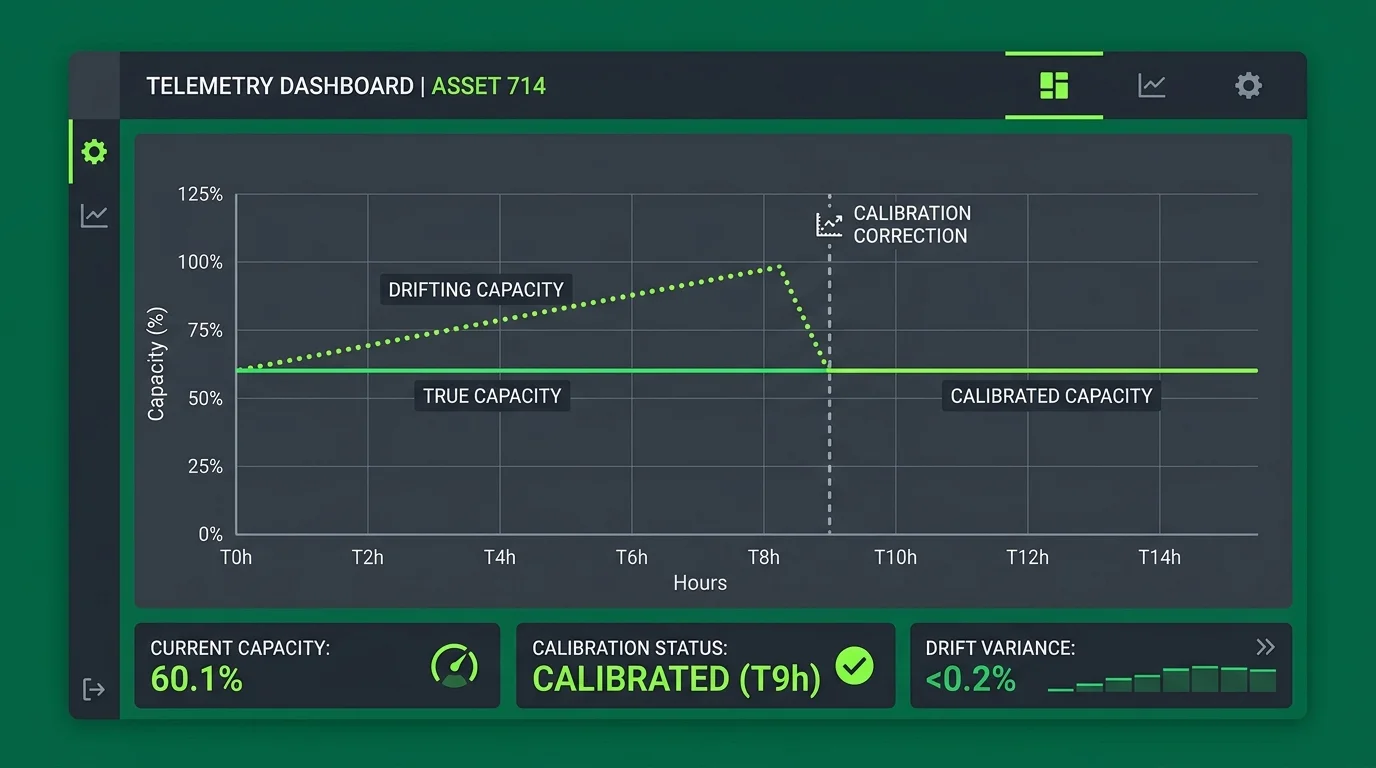
- The Problem of Drift: Coulomb counters drift over time due to small current measurement offsets, causing the displayed SOC to differ from actual cell capacity.
- Calibration Solution: Performing a full controlled charge-to-discharge cycle resets the internal boundaries of the BMS Coulomb accumulator.
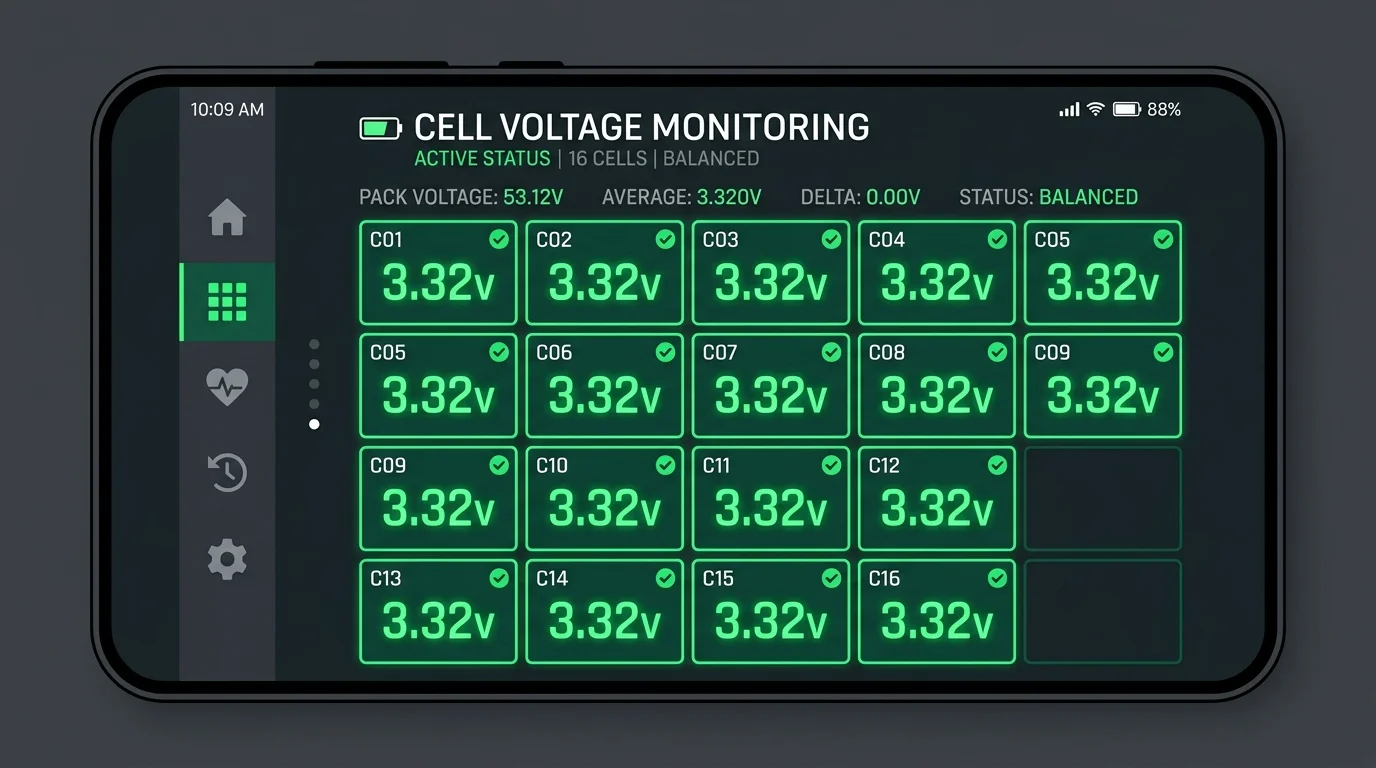
- BAT-BMS Integration: Monitoring real-time cell parameters during calibration ensures that individual cell limits are not breached.
Table of Contents
- 1. Understanding Coulomb Counting & SOC Estimation
- 2. Step-by-Step Calibration Procedure
- 3. Verifying Cell Voltages During Calibration
- 4. Troubleshooting Calibration Failures
- 5. Frequently Asked Questions
- 6. Sources & References
1. Understanding Coulomb Counting & SOC Estimation
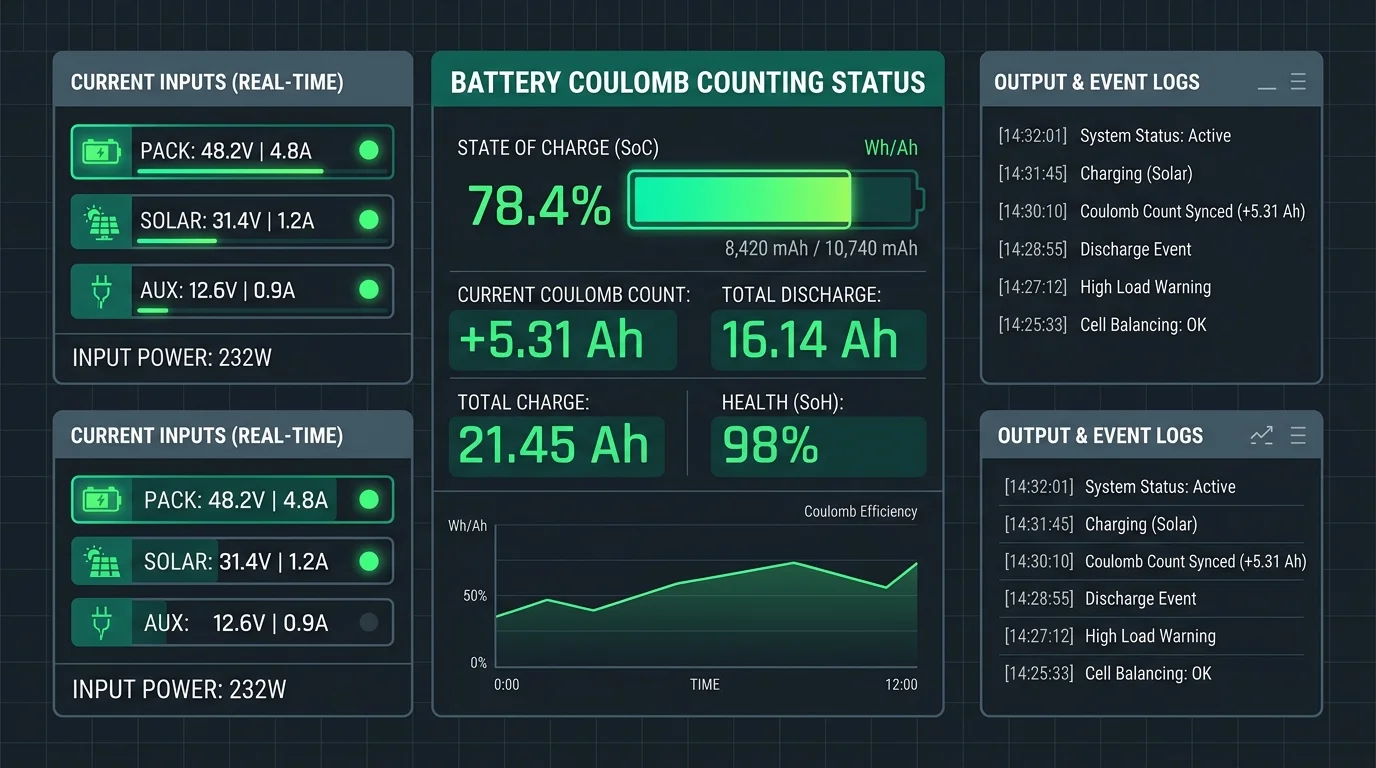
BMS hardware utilizes Coulomb counting—integrating current over time—to track State of Charge (SOC) in percent. Because the open-circuit voltage profile of LiFePO4 cells is flat between 20% and 80%, voltage-based estimation is highly inaccurate under load. However, current sensor tolerances cause small measurement errors to compound over time (known as sensor drift), requiring periodic calibration reset cycles.
2. Step-by-Step Calibration Procedure
Follow these steps to recalibrate your BMS Coulomb counters:
- Full Charge: Charge the battery pack completely until the charger cuts off automatically. Verify the cell voltages show balanced peaks (typically 3.65V per cell).
- Reset Point: Keep the charger connected for an additional 30 minutes to allow passive balancing circuits to align cell potentials. This forces the BMS to register a 100% capacity reference point.
- Controlled Discharge: Discharge the pack continuously through standard vehicle usage or load bank testing until the low-voltage limit cuts off discharge (typically 2.50V per cell).
- Zero Point: Verify that BAT-BMS shows 0% capacity state. Reconnect the charger immediately to avoid cell degradation.
3. Verifying Cell Voltages During Calibration
During calibration, keep the individual cell voltage monitoring grid open in BAT-BMS. Ensure that no cell exceeds 3.75V during charge or drops below 2.20V during discharge, as mismatched cell capacities can trigger protective lockouts early.
4. Troubleshooting Calibration Failures
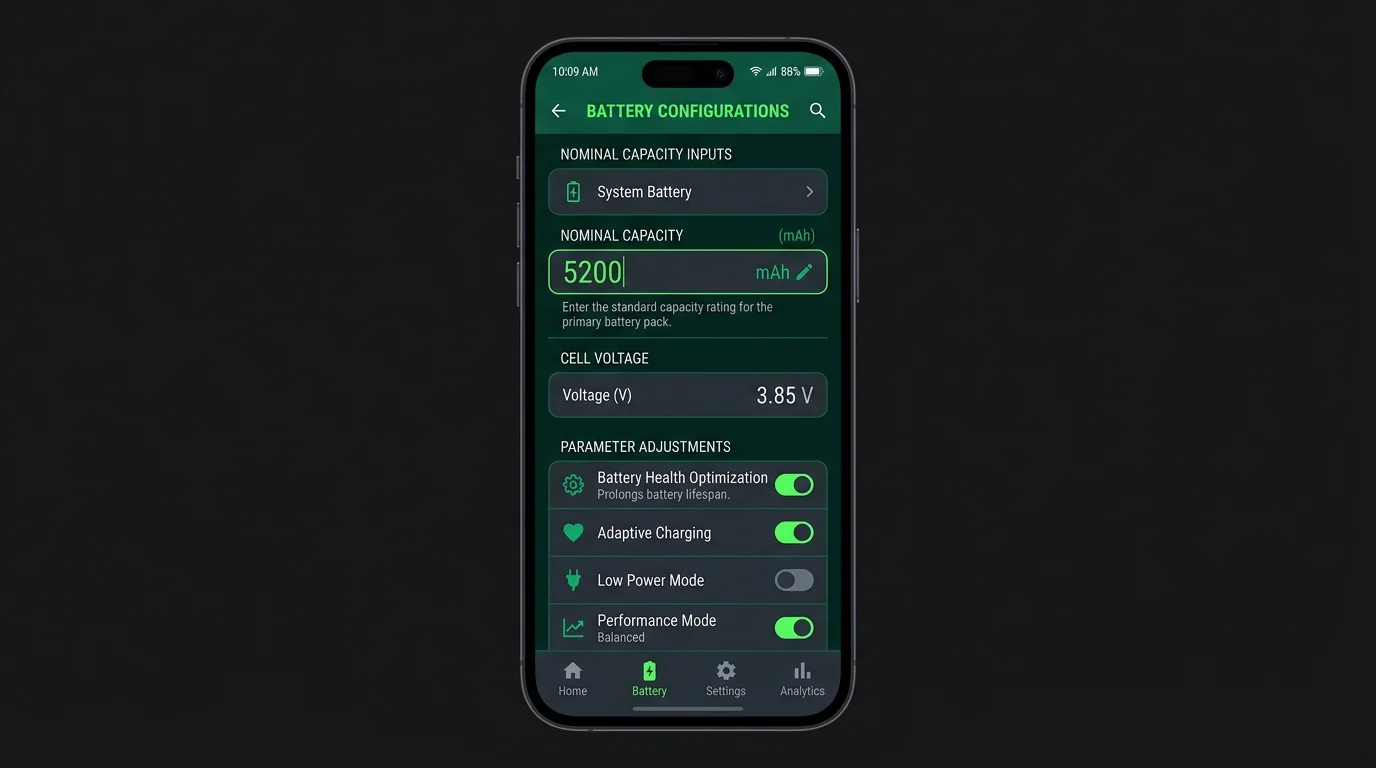
If your SOC continues to display erratic percentage jumps (e.g. dropping from 40% to 15% instantly), check the capacity setting inside the BMS configuration menu. The nominal capacity parameter must match the actual rated capacity of the connected cells.
5. Frequently Asked Questions
For high-frequency use cases like commercial electric rickshaws, we recommend carrying out a full calibration cycle every 30 to 50 charge-discharge cycles (approximately once a month).
The displayed battery capacity will slowly drift from actual capacity. The app might show 30% remaining charge when the battery cells are actually empty, leading to unexpected vehicle immobilization.
6. Sources & References
- BMS State of Charge Estimation Methodologies (Society of Automotive Engineers)
- Grenergy Coulomb Counter Integration Guidelines (BMS-PRO documentation)
- "State of Charge Calibration in Lithium Iron Phosphate Packs", International Battery Seminar Proceedings, 2025.