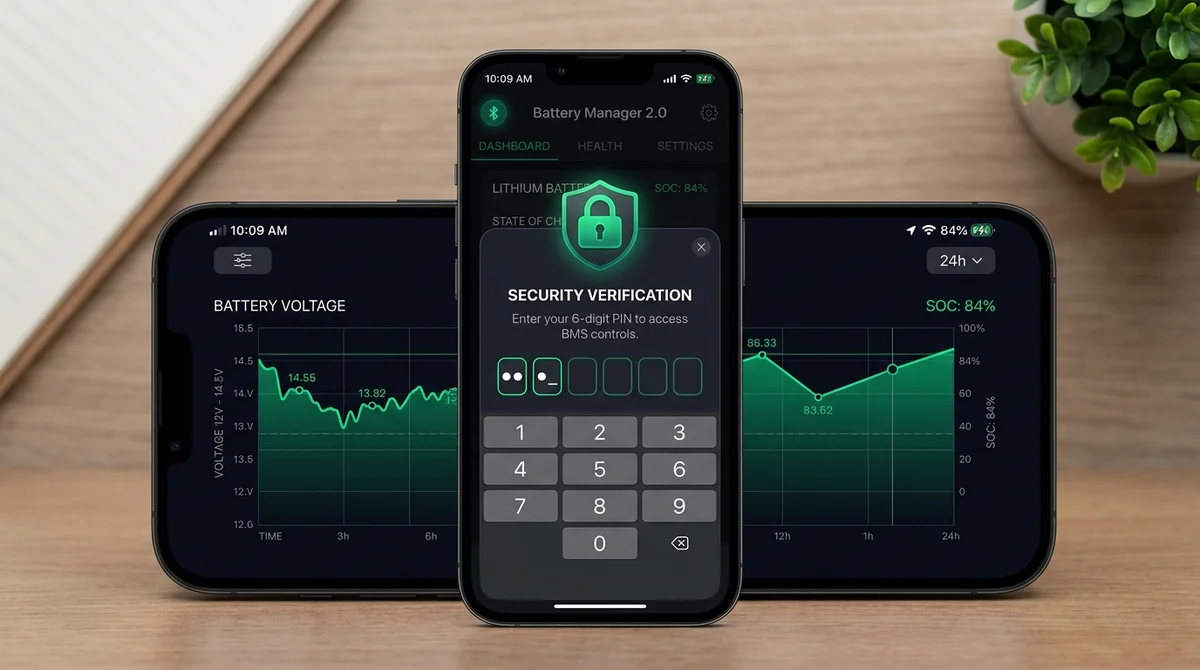
- Mandatory Authentication: BAT-BMS v1.1.1 requires a security password before toggling Charge or Discharge MOSFET switches, stopping unauthorized Bluetooth immobilization.
- 7-Day Historical Telemetry: Version 1.1.0 introduced automated 7-day voltage and temperature trend logging directly in the mobile client.
- Bluetooth 5.0 BLE Reliability: Overcomes Android 14 and 15 transceiver timeout bugs when scanning dense commercial parking zones.
Table of Contents
- 1. Overview of the v1.1.1 & v1.1.0 Security Releases
- 2. Why Password Protection Was Mandated (Addressing MeitY Concerns)
- 3. Step-by-Step: How to Setup Your Custom Control Password
- 4. Factory Default Passwords & Security Risks
- 5. Best Practices for Electric Rickshaw & Fleet Operators
- 6. Frequently Asked Questions
- 7. Sources & References
1. Overview of the v1.1.1 & v1.1.0 Security Releases
In July 2026, Shenzhen Grenergy Technology rolled out back-to-back updates for the BAT-BMS Android client — v1.1.0 (released July 3) followed swiftly by v1.1.1 (released July 11). These updates mark the most significant software overhaul in the app’s lifecycle, specifically targeting the authentication vulnerabilities that drew regulatory scrutiny across South Asia earlier in the year.
In previous versions (including v1.0.9 and v1.0.10), anyone within Bluetooth Low Energy (BLE) range (typically 10 to 15 meters) could discover an active BMS broadcast, connect without administrative validation, and toggle the high-voltage MOSFET switches that govern battery output. Version 1.1.1 closes this vector by establishing a persistent cryptographic handshake and requiring PIN authorization prior to any hardware switch state change.
2. Why Password Protection Was Mandated (Addressing MeitY Concerns)
During the second quarter of 2026, several incidents were documented where commercial electric rickshaw drivers found their vehicles suddenly halted at traffic signals. Investigations revealed that passersby using basic BLE scanner tools or unmodified versions of consumer BMS apps were connecting to unsecured Grenergy modules and toggling the discharge relay.
Because low-cost lithium-ion conversion packs frequently lacked physical ignition interlocks, the Bluetooth command executed instantaneously, plunging the vehicle into an emergency power-down state. India's Ministry of Electronics and Information Technology (MeitY) and transport safety authorities intervened, mandating that manufacturers either recall unauthenticated transceivers or issue strict software gating. Version 1.1.1 represents Grenergy’s direct compliance response.
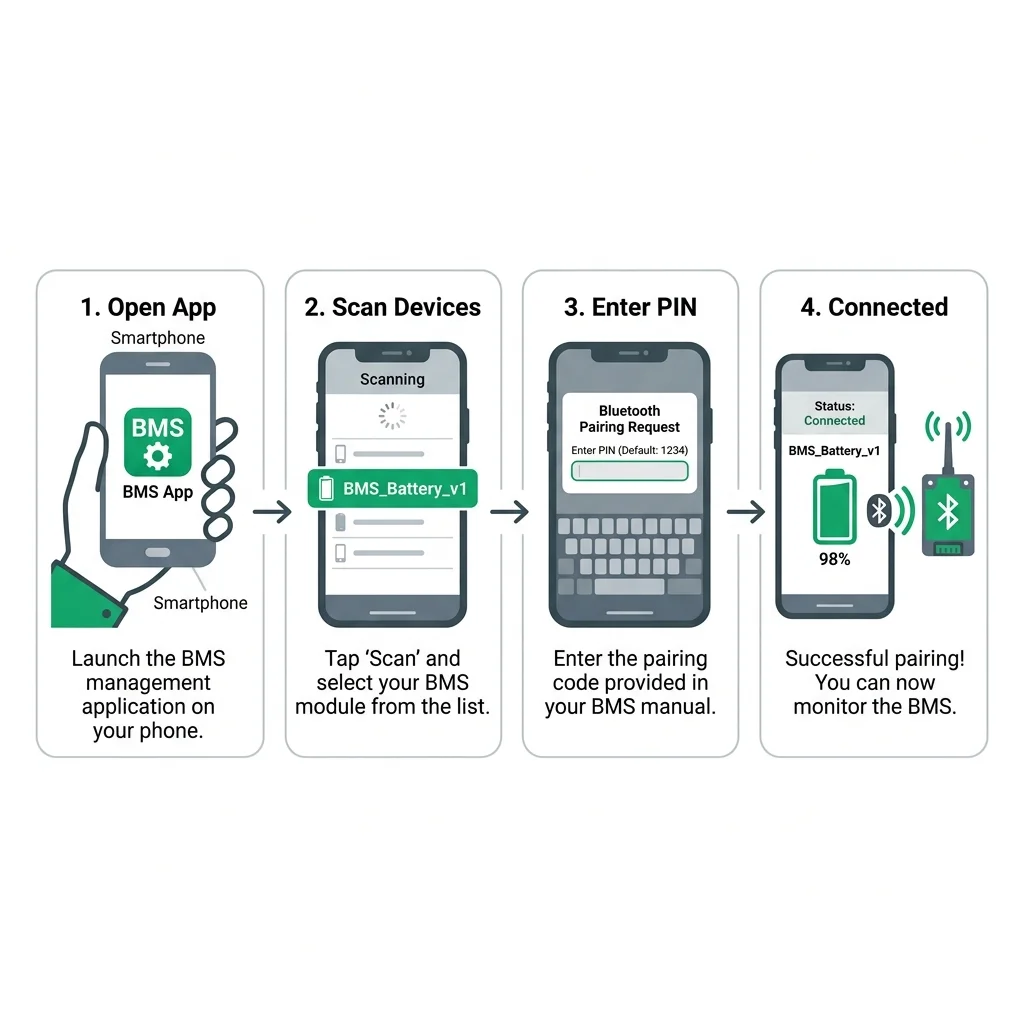
3. Step-by-Step: How to Setup Your Custom Control Password
Configuring your security PIN in BAT-BMS v1.1.1 takes less than two minutes. Follow these verified steps:
- Update to v1.1.1: Install the verified build from our BAT-BMS Download Page.
- Pair Your Pack: Ensure Bluetooth and Location are active on your Android smartphone. Connect to your battery board from the device discovery scanner.
- Access the Settings Menu: Tap the gear icon (⚙) located in the upper-right corner of the dashboard screen.
- Select "BMS Parameter Protection": The app will prompt you to enter the current administrative password. Enter the factory default (see Section 4 below).
- Enter Your New 6-Digit PIN: Choose a memorable, non-sequential PIN. Re-enter the code to confirm.
- Save and Power-Cycle: Tap Write to EEPROM. You will hear a short relay chime confirming the new key has been stored in non-volatile board memory.
4. Factory Default Passwords & Security Risks
Depending on the manufacturing batch of your BMS module, Grenergy boards ship with one of three standard factory default passwords:
| Hardware Batch / Revision | Default Password | Risk Level |
|---|---|---|
| Grenergy Rev 2.1 – 2.4 (2024–2025) | 1234 or 123456 |
High Risk (Common Knowledge) |
| Grenergy Rev 3.0+ (2026 Builds) | 000000 |
High Risk (Must Change Immediately) |
| Custom OEM Battery Packs | Check battery pack casing sticker | Moderate Risk |
Warning: Leaving your battery pack on the default password defeats the entire purpose of the v1.1.1 security patch. Anyone with the updated app can still guess 123456 or 000000 and execute commands.
5. Best Practices for Electric Rickshaw & Fleet Operators
For commercial operators managing five or more battery packs, security management requires standard operating protocols:
- Centralized PIN Management: Keep a secure physical and digital log of each pack serial number and its unique PIN. Never share master keys with unauthorized drivers.
- RF-Shielded Battery Boxes: Enclosing the battery tray in an aluminum enclosure reduces external BLE radiation to approximately 2 meters, preventing remote drive-by attacks from adjacent lanes.
- Periodic Telemetry Audits: Use the 7-day historical telemetry tab in v1.1.0/v1.1.1 to review sudden temperature spikes, unexpected switch cutoffs, or Coulomb counter drift.
6. Frequently Asked Questions
No. Battery pack chemistry definitions, cell counts, and capacity values are stored in the BMS board's onboard EEPROM, not in the phone app. Updating the app will not reset your hardware settings.
If locked out, see our dedicated guide on How to Fix BAT-BMS Password Errors for step-by-step hardware jumper reset procedures.
7. Sources & References
- Shenzhen Grenergy Technology Co., Ltd. — Software Release Notes v1.1.1 (July 2026).
- MeitY Advisory on Low-Power Wireless Vehicle Telemetry (June 2026).
- Battery Management System Security Standards (ISO/SAE 21434).